Footnotes and page numbers appear in the middle of my EPUB text
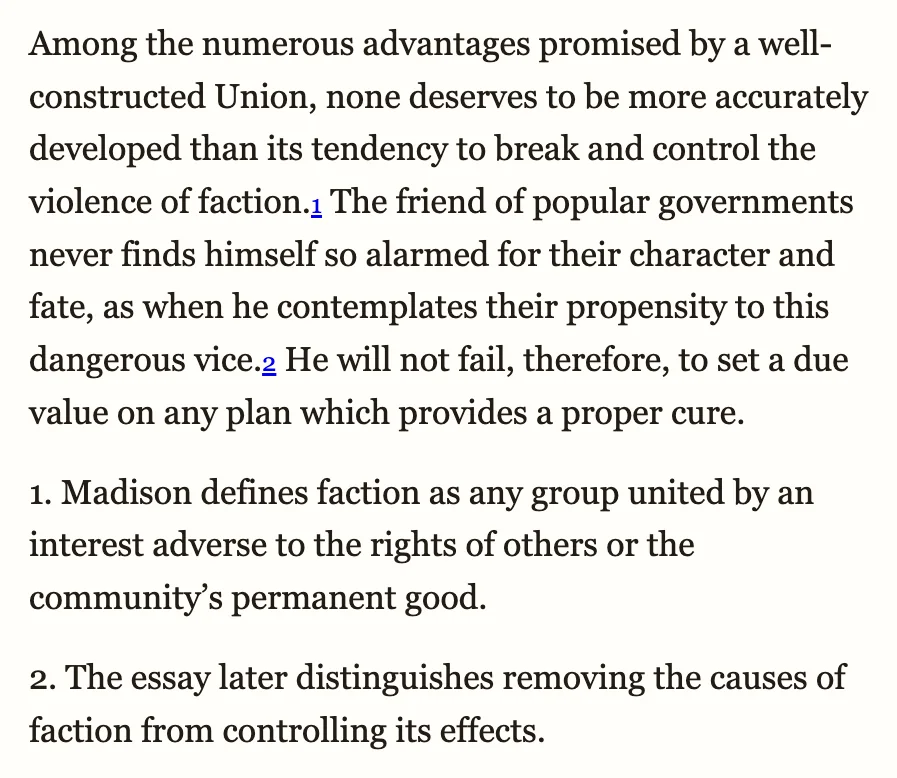
Your EPUB opens and the text is there, but a running header like “THE FEDERALIST” sits inline at the top of a page, and a bare page number turns up alone in the flow. Below is a real conversion of the same demonstration page, not a mockup: first as a converter without layout analysis renders it, then as ours does.
Convert your PDF to EPUB now
Upload a PDF and get a reflowable EPUB3 that keeps headings, footnotes, tables and images in reading order, so it resizes on any phone, tablet or e-reader. Preview the result before you decide.
Convert a PDF → See a converted paper →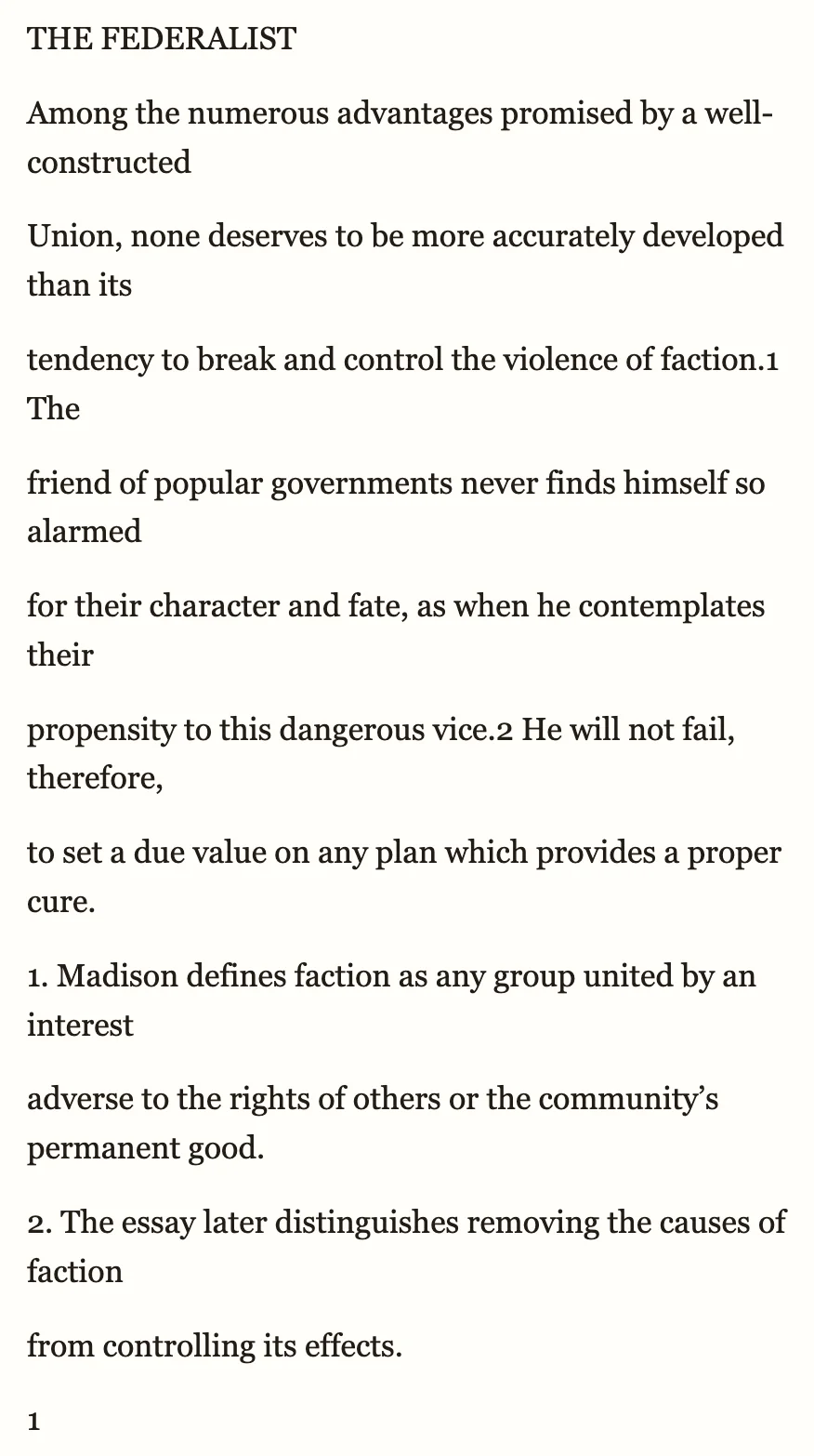 1
1
 2
3
2
3
- Running header copied into the body text
- Marker stays in the body, linked to its note
- Note kept after the page's text, not mid-paragraph
Have the PDF? Convert it here →
Why this happens
A PDF does not mark a running header, a page number or a footnote as different from body text — every word just sits at a position on the page. A converter that copies text by position keeps all of it in page order, so a header repeated on every page, a bare page number, and a footnote's body all land inside the reading flow exactly where they sat on the sheet. Ours tells these apart: running headers and page numbers are removed from the flow, and a footnote's body is kept as a notes block at the end of the page's text, with the superscript marker in the body linked to it.
What to check in the preview
- Scroll through a few pages — no isolated number or repeated title should sit inside a paragraph.
- Tap or click a footnote marker — it should jump to its note, not sit as a bare superscript going nowhere.
- Read the end of a page's text — footnotes should appear there as a block, not spliced into the paragraph above them.
How to get the clean version on toolkit.bot
- Open toolkit.bot and drop the same PDF you converted before — the first 50 pages convert and download free, no account needed.
- Check the preview: no stray page numbers or repeated headers in the body, and footnote markers linked to their notes.
- Download the EPUB, or sign in free for the whole file.
Convert the same PDF again — this time without headers and page numbers in the text.
First 50 pages free, no account · whole file with a free account · $0.99 for a clean copy
Frequently asked questions
Why are page numbers appearing in the middle of my EPUB after converting a PDF?
PDFs store page numbers as ordinary text positioned on the sheet, with nothing to mark them as different from a sentence. A converter that copies text by position keeps them in place. Conversion that recognises running headers and page numbers removes them from the flow.
Where do footnotes go after conversion?
Each footnote's body is kept as a notes block at the end of the page's text — not spliced into the paragraph where it was called out, and not collected anywhere else in the document. The superscript marker stays in the body, linked to its note, so tapping it jumps straight there.
Can toolkit.bot convert a PDF with footnotes without breaking up the body text?
Yes. Upload the PDF and download without a sign-in — the first 50 pages are free, with no account. Running headers and page numbers are removed from the flow, and footnotes come through as linked notes after the page's text.
Related guides
- Broken paragraphs after conversion — when PDF line breaks turn into stray line breaks in the EPUB
- Two-column PDF reads across the page — when columns interleave instead of reading in order
- Research papers to EPUB — footnotes and citations in two-column academic PDFs