My converted EPUB has two columns merged into one jumbled column that reads across the page
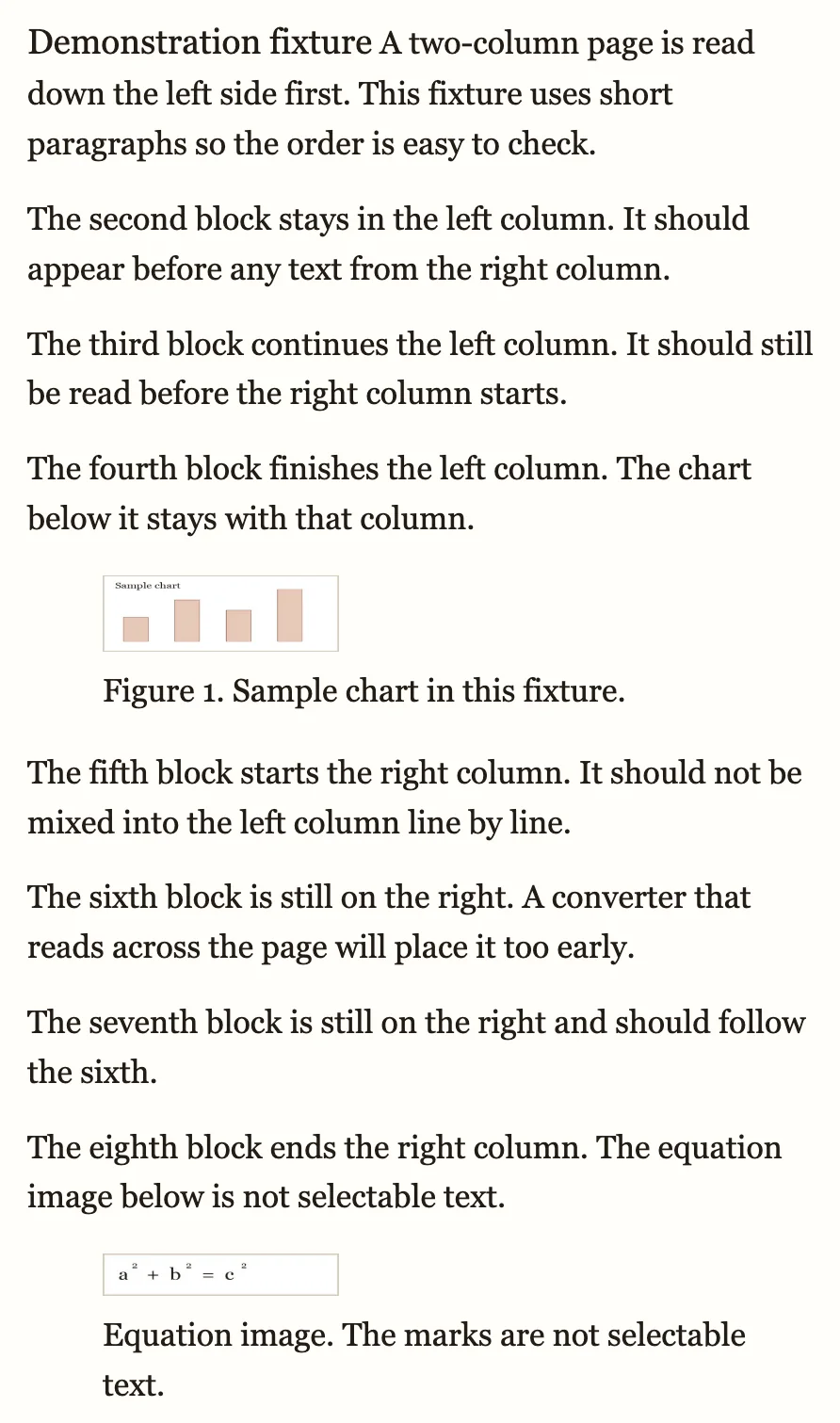
You convert a two-column PDF — an academic paper, a magazine spread, a newsletter — and the EPUB comes out backwards: a line from the left column, then a line from the right, back and forth down the page. Below is a real conversion of the same demonstration page, not a mockup: first as a converter without layout analysis renders it, then as ours does.
Convert your PDF to EPUB now
Upload a PDF and get a reflowable EPUB3 that keeps headings, footnotes, tables and images in reading order, so it resizes on any phone, tablet or e-reader. Preview the result before you decide.
Convert a PDF → See a converted paper →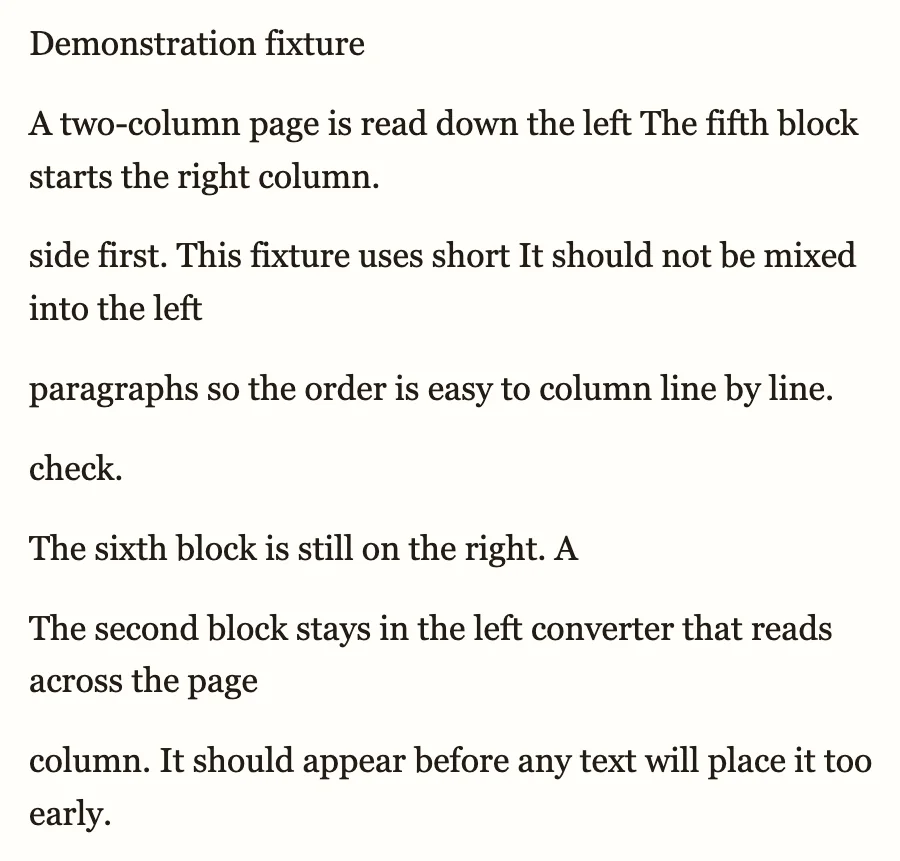 1
1
 2
3
2
3
- Left-column and right-column lines interleaved, mid-sentence
- Left column read in full before the right column starts
- The chart kept as an image, right where it followed the text, caption attached
Have the PDF? Convert it here →
Why this happens
A PDF has no concept of columns or reading order — just words positioned at coordinates on a page. A converter that reads strictly by vertical position crosses straight from the bottom of the left column into the top of the right one, because both sit at the same height on the sheet, so the two columns end up interleaved line by line and sentences from one bleed into the other. Column-aware conversion finds the column boundaries first: it reads the left column top to bottom, then the right, and keeps a chart or figure at the foot of a column as an image, in that column's reading position, with its caption still attached.
What to check in the preview
- Follow a sentence past a chart or figure — it should continue in the same column, not jump to the other one.
- Read across the seam between columns — nothing from the right column should appear before the left column finishes.
- Equations set as images stay as images, not text — check they are still legible at your reading width.
How to get the clean version on toolkit.bot
- Open toolkit.bot and upload your two-column PDF — the first 50 pages convert and download free, no account needed.
- Check the preview: each column should read top to bottom, left then right, never across the page.
- Download the EPUB, or sign in free for the whole file.
Convert your two-column PDF with reading order intact.
First 50 pages free, no account · whole file with a free account · $0.99 for a clean copy
Frequently asked questions
Why does my EPUB read across two columns instead of down each one?
PDFs store text as coordinates on a page, with no marker for columns. A converter that reads strictly by vertical position crosses from the foot of one column straight into the top of the next, interleaving the two. Column-aware conversion finds the column boundaries and reads one in full before starting the other.
What happens to charts and equations in a two-column PDF?
A chart at the foot of a column is kept as an image, in that column's reading position, with its caption attached. Equations set as images are kept as images too — simple inline math often survives as text, but dense display equations commonly stay as images.
Can toolkit.bot convert a two-column academic paper or magazine layout?
Yes. The first 50 pages convert and download free, with no account; a free account converts the whole file, and a one-time unlock gives a clean copy for $0.99. For citations, references and finding a legal copy of a paper, see the research papers guide.
Related guides
- Research papers to EPUB — two-column academic PDFs in depth, plus where to find a legal copy
- Broken paragraphs after conversion — lines that break mid-sentence even in a single column
- Footnotes and page numbers mixed into the text — when marginal elements land in the body