PDF EPUB: What the Formats Are and How to Convert
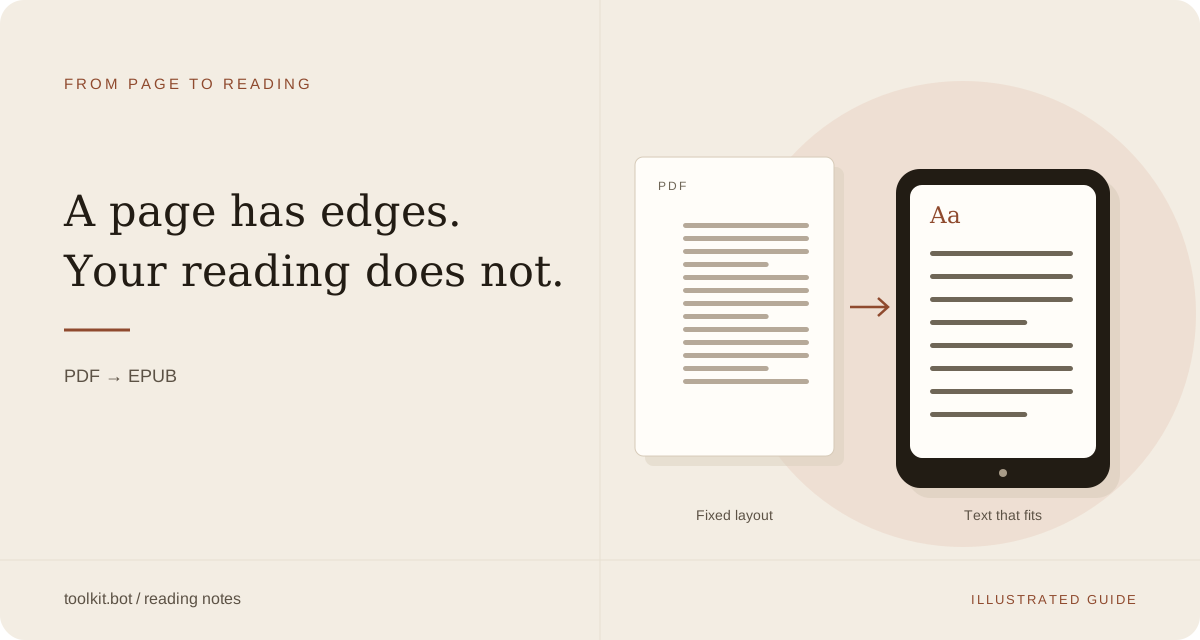
People searching for PDF EPUB usually want one of two things: a clear explanation of how the formats differ, or a PDF to EPUB converter that turns a fixed-page PDF document into reflowable EPUB files they can read on a phone or e-reader. This guide covers both.
Convert your PDF to EPUB now
Upload a PDF and get a reflowable EPUB3 that keeps headings, footnotes, tables and images in reading order, so it resizes on any phone, tablet or e-reader. Preview the result before you decide.
Convert a PDF → See a converted paper →PDF: Portable Document Format
PDF stands for Portable Document Format. A PDF file freezes text, images, and layout onto pages sized for print or a desktop monitor. That is useful for forms, contracts, and anything that must look identical everywhere. It is a poor reading experience on small screens: you pinch, zoom, and scroll sideways because the page size never changes.
EPUB: the reflowable ebook file format
EPUB is the standard ebook file format. Unlike PDF, content is stored as structured HTML that wraps to the screen. You pick the font size, margins, and theme; the text reflows. Kindle, Kobo, Apple Books, and most reading apps prefer EPUB files for long-form reading.
What reflow actually looks like
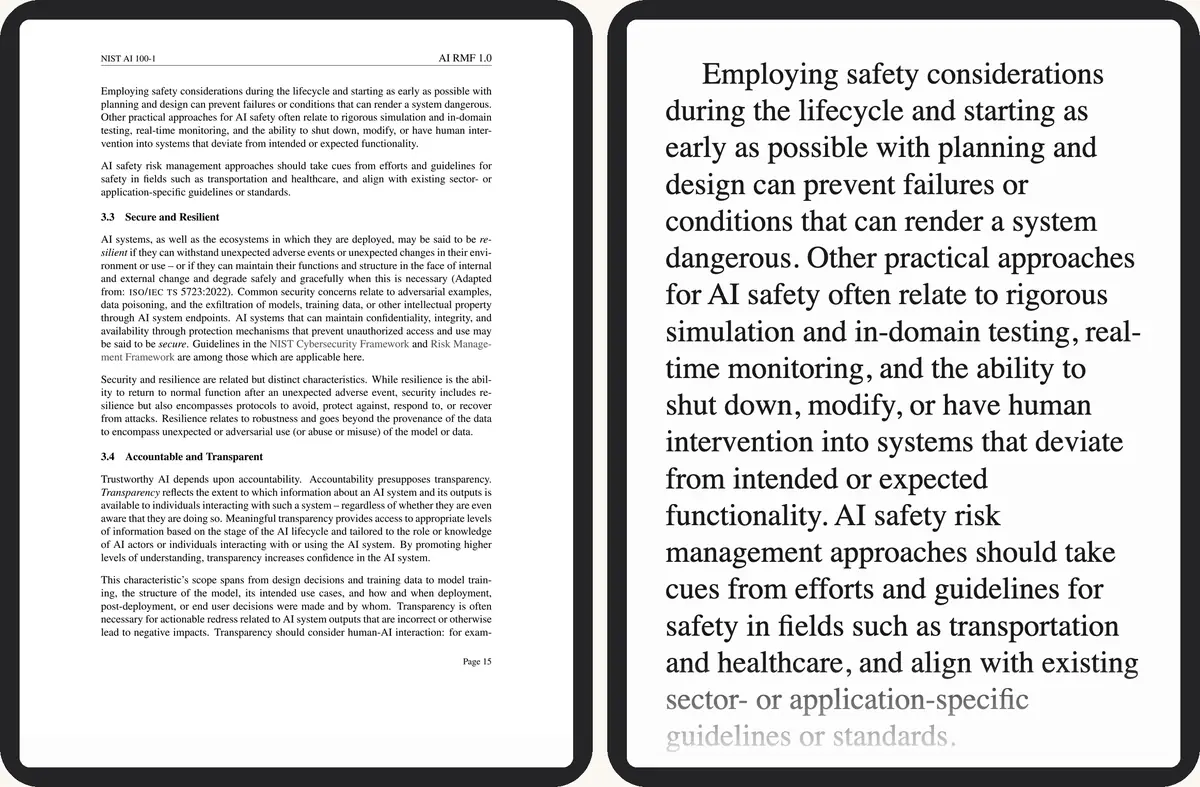
"Reflow" is the one word that explains the whole guide: the same passage, laid out two different ways.
 1
2
1
2
- Print-size type, the whole page squeezed to the screen
- The same passage at your font size
Have the PDF? Convert it here →
Why convert PDF files to EPUB
Converting PDF files to EPUB keeps the words and structure while changing the file format so reading adapts to the device. That matters for textbooks, reports, research papers, and any PDF document you want to finish on a commute. Scanned pages need OCR so the converter can recover real text instead of images of letters.
Which format for what
| Document type | PDF or EPUB | Why |
|---|---|---|
| Contract or form you must print exactly | Fixed layout, identical on every screen and printer | |
| Novel, report, or anything read start to finish | EPUB | Reflows to your font size and screen |
| Two-column research paper | EPUB | Columns merge into one linear reading order |
| Scanned book or document | EPUB, after OCR | Recovers real text instead of a page image |
| Manual with diagrams tied to an exact layout | Keeps diagrams exactly as drawn |
A PDF to EPUB converter in your browser
toolkit.bot is a PDF to EPUB converter that runs in web browsers on any operating system — Windows, macOS, Linux, iOS, or Android — with nothing to install. Upload a supported PDF and download EPUB files once text, headings, and tables are rebuilt. The first 50 pages convert and download free, no account needed; a free account converts the whole file, and a one-time unlock gives a clean copy for $0.99. Files are deleted after download.
- Open toolkit.bot
- Upload your PDF (drag and drop or file picker)
- For the whole of a longer document, sign in free, or buy a one-time unlock for a clean copy
- Download the EPUB and open it in your preferred app
What converts well
- Single-column books, manuals, and reports
- Academic papers where reading order and headings matter
- Scanned PDFs (OCR recovers text from page images)
- Documents with simple tables
Complex multi-column layouts and dense graphics may need a second look after conversion. When layout cannot be reconstructed confidently, problem regions are kept as cropped images so you do not lose content.
Convert a PDF to reflowable EPUB — works in the browser on any operating system.
Convert a PDF →Frequently asked questions
Is PDF the same as EPUB?
No. PDF is a fixed-page portable document format; EPUB is a reflowable ebook file format. Same words can live in either, but only EPUB resizes cleanly on phones and e-readers.
Do I need desktop software to convert PDF to EPUB?
Not for toolkit.bot. Conversion runs in web browsers on any operating system — nothing to install.
How much of my PDF converts for free?
The first 50 pages convert and download free, with no account or card needed. A free account converts the whole file, five files a month, with a small toolkit.bot mark in the file. A one-time unlock gives a clean copy of one file for $0.99.
What happens to my PDF files after conversion?
They are processed for conversion and deleted after download. Nothing is kept for later.
More guides
Pick your device, or jump straight to the symptom your PDF has.