My EPUB text is tiny on Kobo and does not reflow when I change font size
Your PDF reads fine on a laptop, but on a phone or e-reader the words stay print-size and the font-size slider does nothing — the page converted as a fixed layout, not as text the reader can resize.
Convert your PDF to EPUB now
Upload a PDF and get a reflowable EPUB3 that keeps headings, footnotes, tables and images in reading order, so it resizes on any phone, tablet or e-reader. Preview the result before you decide.
Convert a PDF → See a converted paper →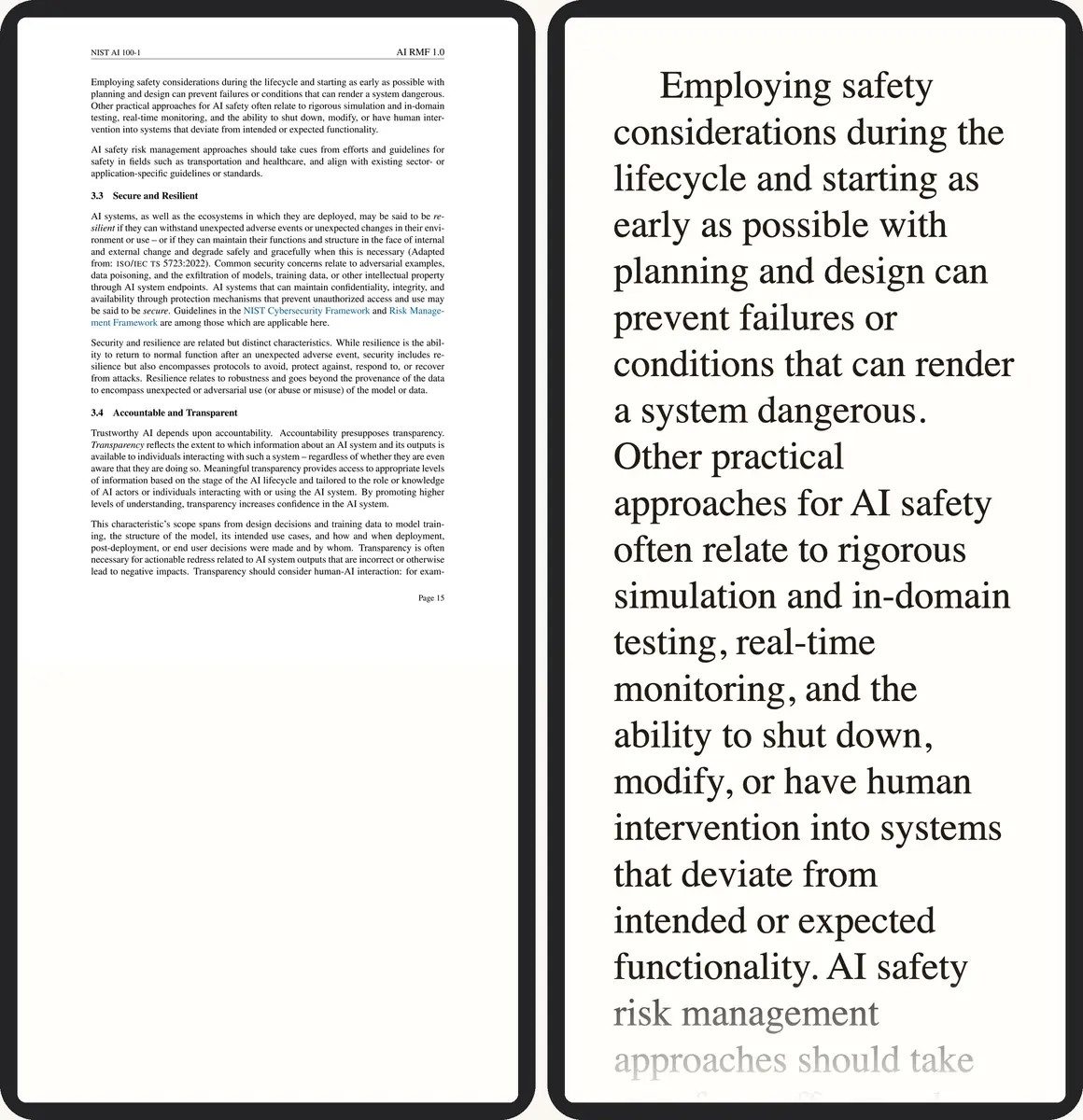 1
2
1
2
- Print-size type, the whole page squeezed onto the phone
- The same passage reflowed at a comfortable font size
Have the PDF? Convert it here →
Why this happens
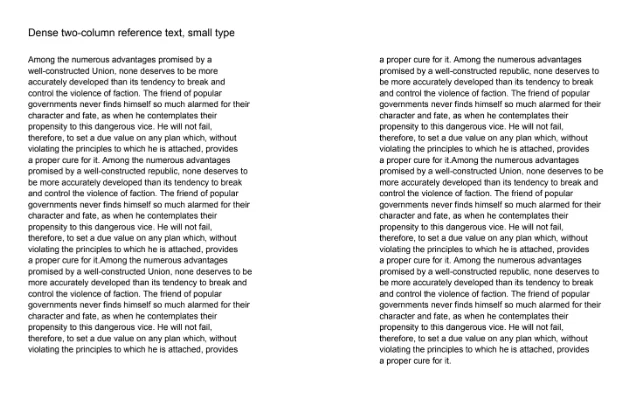
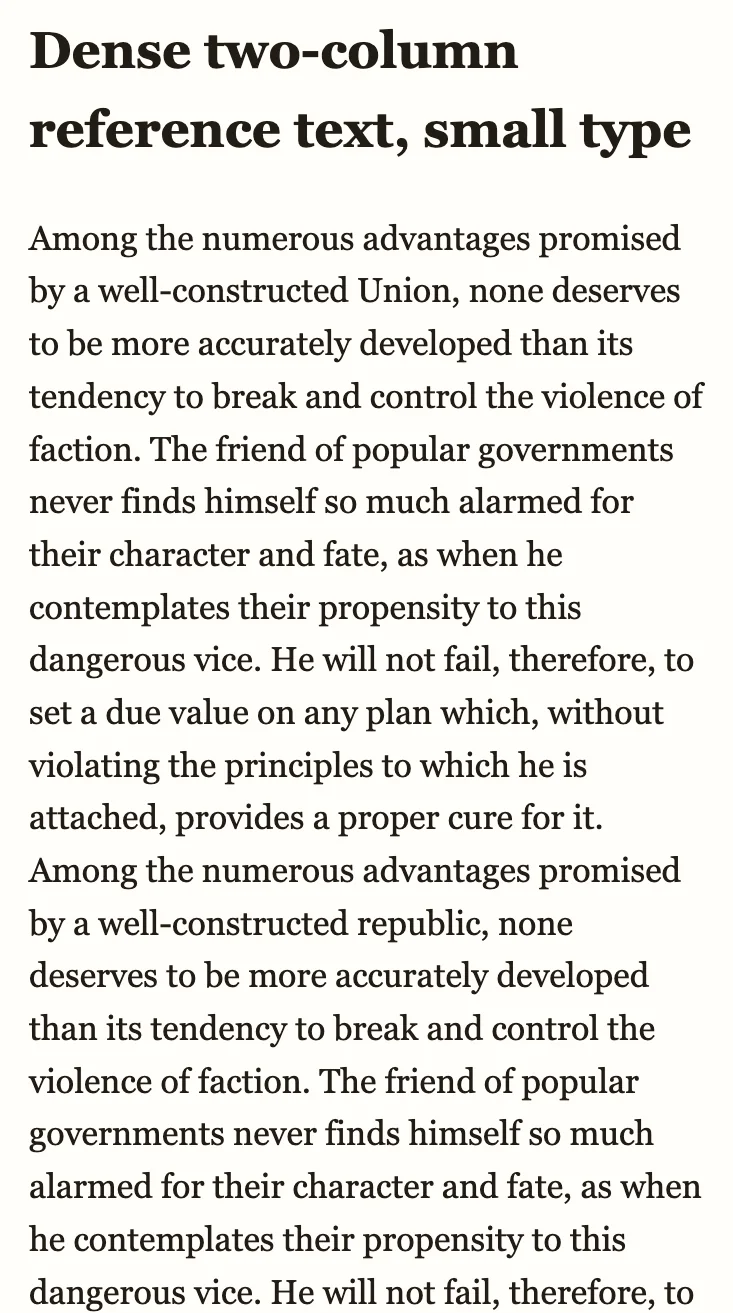
A PDF fixes every word to an exact position on the page. A flat conversion keeps that position, so the reading app has nothing to resize — the slider moves, but the page doesn't. Reflow analysis works differently: even a two-column reference page set as small as 6–7 pt is read in order, rebuilt as real paragraphs with no dropped letters and no forced line breaks, and resized to whatever font you choose.
What changes in the EPUB
- Resizable font: the slider actually changes size, because the page is real paragraphs, not a picture
- Correct reading order: a two-column page reads left column, then right — not interleaved line by line
- Whole words: no dropped letters, no line broken mid-word at the edge of the old column
- Searchable, selectable text: works like any other EPUB on Kobo, Kindle Scribe, Apple Books and other readers
What to check in the preview
- Font size actually changes: move the size control up and down in the preview — if the text grows, it's real paragraphs, not a picture of the page.
- Column order: where a page was originally two columns, confirm it now reads left-to-right as one column, not interleaved line by line.
- No mid-word breaks: a sentence that used to wrap at a narrow column edge should now wrap naturally at your screen width, with no stray hyphen or forced break.
Reading it on your device
Once the page is real paragraphs, every reader's own font-size and margin controls work on it like any other book — download the EPUB and open it on your phone, tablet or e-reader. Kobo's menus work a little differently from a phone's; the Kobo guide covers font size, margins and getting the file onto the device.
Frequently asked questions
Why is my EPUB text tiny on Kobo or Kindle after converting a PDF?
The page was kept as a fixed layout — a picture of a page, or text locked to exact coordinates — so the reading app has no paragraph to resize. The font-size control changes nothing because there is nothing to reflow.
Will changing a reader setting fix it?
Only if the file already has real paragraphs underneath a locked style. On Kobo, try turning Publisher Defaults off; on Kindle, try switching the theme. If the page is an image, no reader setting rewrites it — the PDF needs converting again into reflowable text.
Does dense, small-type reference text reflow properly?
Yes. Two-column pages set as small as 6–7 pt convert to single-column flowing text that resizes to your chosen font, with no dropped letters and no forced line breaks.
Convert the same PDF again — this time with text that reflows.
Upload it and download an EPUB where font size and margins work on Kobo, Kindle and phones.