How to Read a PDF in Apple Books on iPhone, iPad and Mac: Convert to EPUB First
Apple Books opens a PDF, but the page stays a picture: pinch to zoom, scroll, repeat. Convert it to EPUB first and the same text reflows to your own font size, with night mode, highlights and iCloud sync across your devices — no cable and no extra app, so upload your PDF below and get the EPUB back in under a minute.
Have a PDF for your iPhone or iPad? Convert it here
Manuals, papers and scanned books stay tiny on e-ink as PDF. A reflowable EPUB fits the screen and your font size.
or drag and drop here
 1
2
1
2
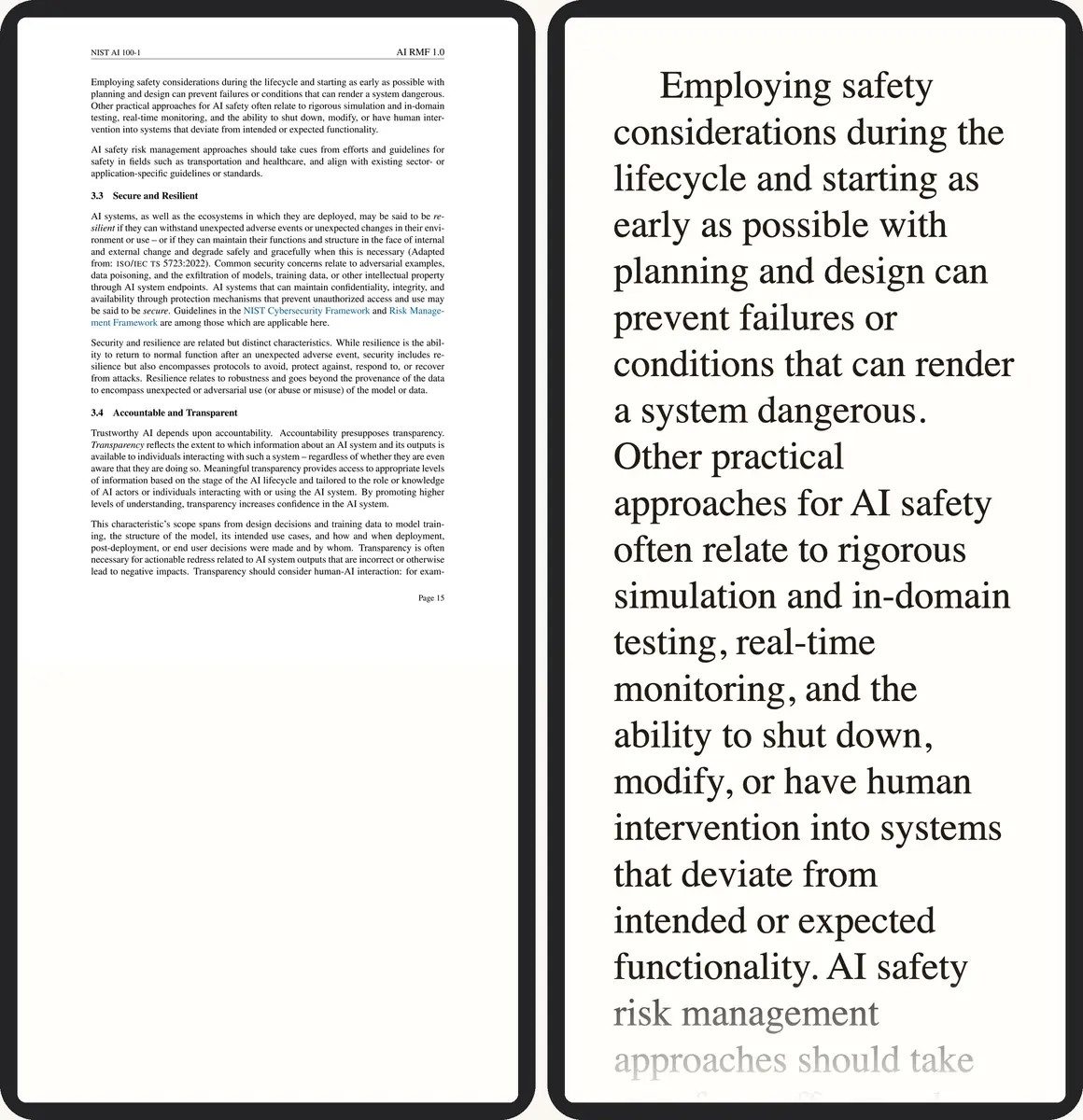
- Print-size type, the whole page squeezed onto the screen
- The same passage reflowed at your font size
Have the PDF? Convert it here →
Keep the PDF or convert?
Not every file needs converting. A one-page flyer or a form you print is fine as a PDF. Anything you plan to actually read, start to finish, is better as EPUB:
| Document type | Better as |
|---|---|
| Novel, report or anything mostly running text | EPUB — reflows to your font size |
| Manual or datasheet with diagrams tied to a fixed layout | PDF — keeps the page exactly as drawn |
| Scanned book or a two-column paper | EPUB — one reading column, real text instead of a zoomed-in image |
Apple Books vs other EPUB readers on iPhone and iPad
| App | EPUB support | iCloud sync |
|---|---|---|
| Apple Books | Full (EPUB 2 & 3) | Yes (native) |
| Kindle app | No — Kindle format only | Yes (Amazon account) |
| Kobo app | Yes | Via Kobo account |
| Readwise Reader | Yes | Yes (Readwise cloud) |
Apple Books is the one built into every iPhone, iPad and Mac, and the only one of these that syncs reading position, highlights and bookmarks over iCloud with no separate account.
Get the EPUB into Apple Books
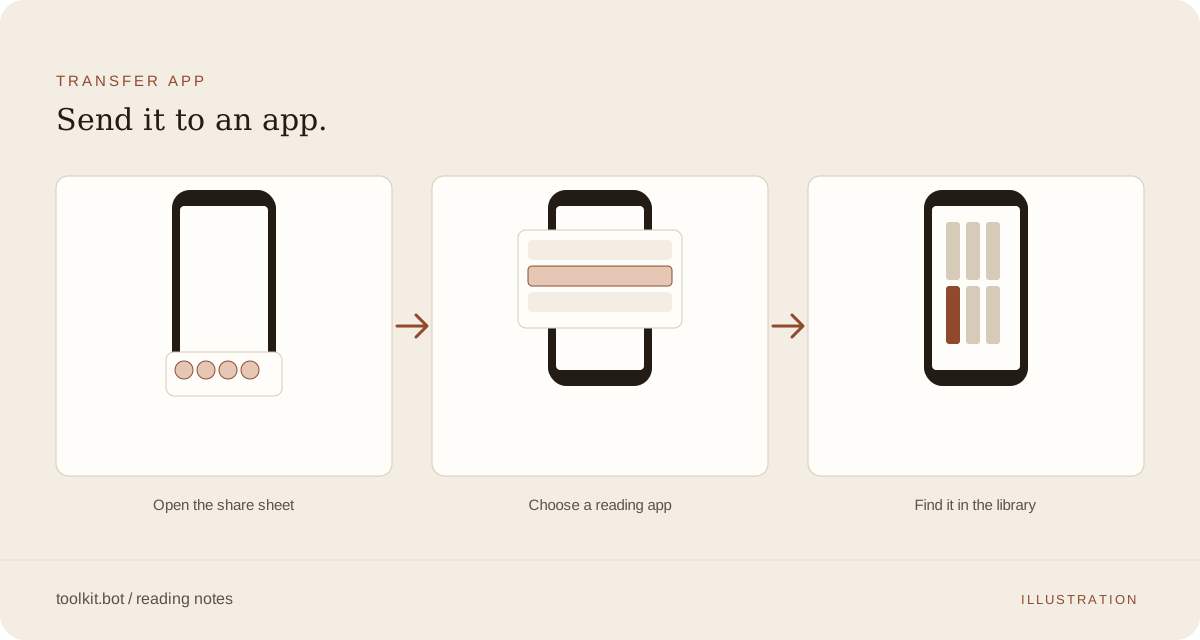
Once the download is ready, three routes get it into your library:
| Method | Needs | Time | Note |
|---|---|---|---|
| AirDrop or the Files share sheet | iPhone or iPad with the EPUB already on it | Instant | Tap Share, then Copy to Books |
| Drag into Books | A Mac with Apple Books open | Instant | Drop the EPUB on the Books window, or double-click it in Finder |
| iCloud sync | Same Apple ID, iCloud Drive and Books sync all on | Within seconds | Add it once on any device and it appears on the rest |
Apple Books has no email-to-device address the way Kindle has Send to Kindle — AirDrop, the share sheet and dragging a file into the Mac app are the three doors in, and iCloud carries the book to your other devices from there.
Reading features worth turning on
- Font and size: tap the Aa button to adjust family, size and weight.
- Night mode: a true dark background on EPUB text, not the inverted colour a PDF gets.
- Highlights and notes: press and hold to select, then pick a colour; tap a highlight to add a note.
- Table of contents: tap the list icon to jump straight to a chapter.
What to check in the EPUB preview
Single-column books, reports and papers convert cleanly; two-column papers go through column-aware layout analysis, and scanned pages get OCR automatically. Before you transfer, check the free preview for:
- Reading order: scroll the first chapter and confirm headers or column breaks didn't interrupt a sentence.
- Table of contents: chapter titles should appear as clickable entries in Books' own contents panel.
- Footnotes: they should sit at section ends or as linked references, not break the body text mid-paragraph.
- Font scaling: try a larger and smaller size with the Aa button; lines should wrap without orphaned words.
Catching a problem here costs nothing — the preview is part of the free 50 pages, so you see exactly what Books will show before deciding whether to unlock the rest.
Frequently asked questions
Does Apple Books support EPUB files?
Yes — EPUB 2 and EPUB 3, with reflowable text, custom fonts, night mode, colour-coded highlights and iCloud sync.
How do I add an EPUB to Apple Books on iPhone or iPad?
Download the EPUB, then tap it. iOS shows a share sheet; tap Share and choose Copy to Books. The book appears in your library immediately.
How do I add an EPUB to Apple Books on Mac?
Double-click the EPUB in Finder, or drag it into an open Books window. It syncs to your iPhone and iPad over iCloud within seconds.
Why isn't my EPUB syncing between my iPhone and Mac?
Check that the same Apple ID is signed in on both, and that iCloud Drive and Books sync are both on (Settings → your name → iCloud). All three on, and the book, bookmarks and highlights sync automatically.
What if my PDF is longer than 50 pages?
The first 50 pages convert and download free, with no account or card. A free account converts the whole file, five files a month, with a small toolkit.bot mark in the file. A one-time unlock gives a clean copy of one file for $0.99.
Convert your PDF to an EPUB Apple Books can reflow: the first 50 pages are free, no account or card required.
Choose your PDF above ↑